
Key takeaways
- The inspected SOMA77 fixture has 78 named BVH nodes; the exporter carries locomotion on Hips, beneath a stationary Root wrapper.
- Convert centimeters to your destination units once, and match the intended BVH rest-pose convention.
- Format conversion prepares motion data; it does not prove a successful retarget to your character.
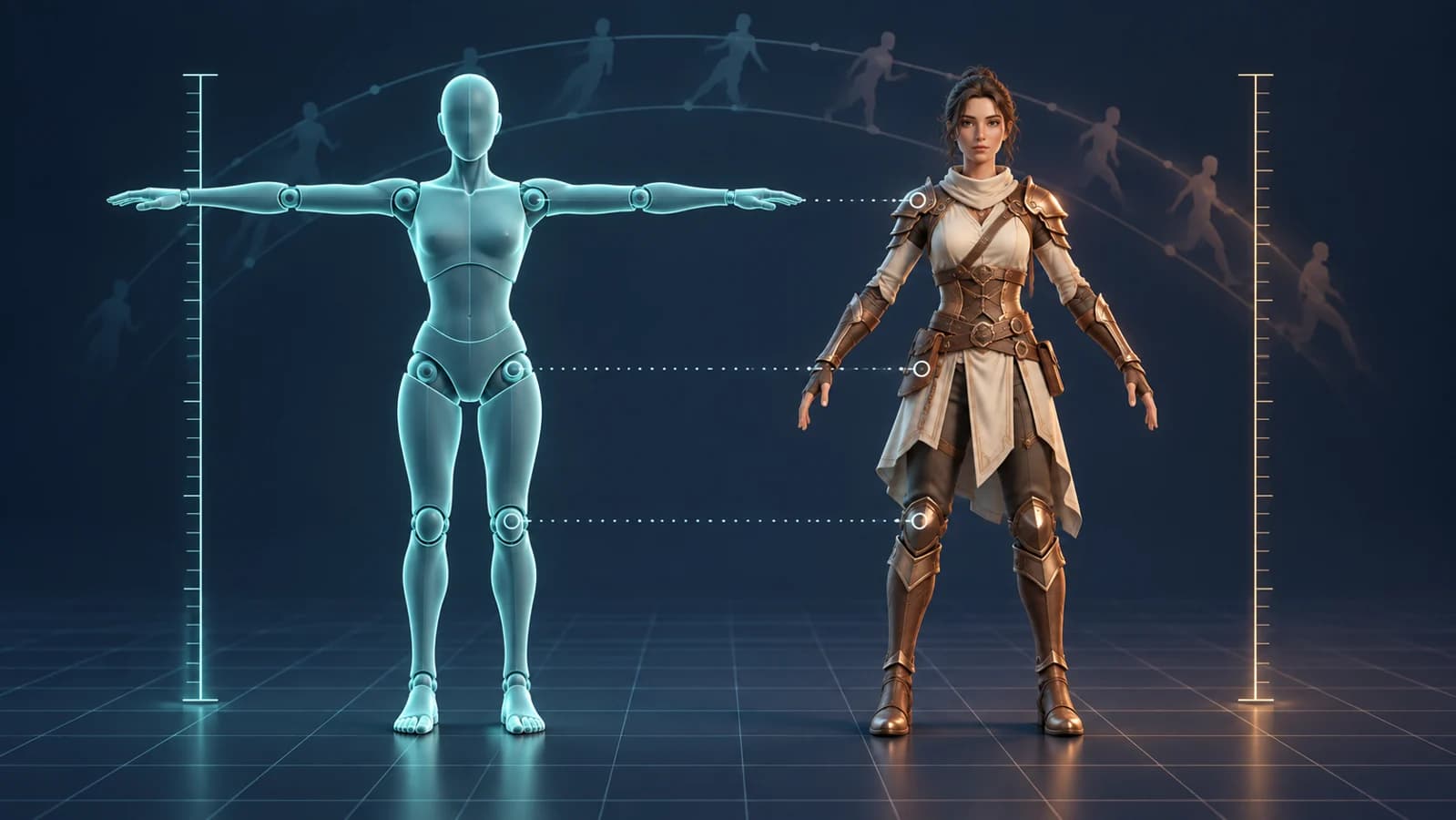
Before retargeting Kimodo-SOMA motion to a game character, settle three things: the skeleton hierarchy, the distance unit, and the reference pose. The documented BVH export uses SOMA77, writes distances in centimeters, and defaults to the BONES-SEED rest-pose convention. Getting those conventions right gives you a cleaner starting point for rig mapping. It does not establish that an arbitrary character will animate correctly.[2]
Start with the SOMA export you actually have
Kimodo generates skeletal motion from text and motion constraints. Its public repository records an initial release on March 16, 2026, a SOMA77 input/output change on March 19, and SOMA v1.1 models on April 10. This is a practical guide to an existing tool, not an announcement of an October launch. The public code, documentation, and SOMA-RP-v1.1 model card were accessible at the October 2 check.[1][7]
The SOMA family uses a reduced 30-joint representation internally and expands to the full 77-joint skeleton for exports and visualization. Older 30-joint NPZ files remain relevant to compatibility. Keep the model variant and file provenance with each clip instead of inferring the skeleton from the .npz extension alone.[3]
For this guide, stay on the SOMA-to-BVH path. The output documentation limits BVH export to SOMA models; G1 and SMPL-X have different output contracts. Treat a motion file as one input to your character pipeline, alongside your own mesh, skin weights, rig, and retargeting setup.[2]
Public model listings do not make every first-run dependency ungated. The installation guide requires approved access to the text encoder’s gated Hugging Face repository. Check that access and the current dependency terms before planning a local generation session.[10]
Why a 77-joint skeleton can have 78 named BVH nodes
A small real-file inspection catches an easy scripting mistake. We read NVIDIA’s public somaskel77_standard_tpose.bvh at pinned repository revision 58e7818, counting hierarchy declarations and numeric motion columns. The file contains 77 JOINT declarations and an additional ROOT named Root: 78 named nodes in total. End Site entries are excluded from that count.[5]
| Property | Observed value | Practical meaning |
|---|---|---|
| File size | 15,702 bytes | Small enough to inspect as plain text |
| Named hierarchy nodes | 1 ROOT + 77 JOINT = 78 | Do not equate all named BVH nodes with SOMA joint count |
| Channels per frame | 240 | Sum the CHANNELS declarations rather than assuming 3 per joint |
| Channel distribution | 2 nodes with 6; 76 nodes with 3 | The hierarchy has translation-bearing nodes as well as rotation channels |
| Motion samples | 1 frame; frame time 1/30 second | A reference-pose specimen cannot demonstrate motion quality |
The accompanying report records the SHA-256 checksum, pinned source URL, observed row width, and declared-frame checks. Download it and the inspector in the evidence section below. The script reads text only; it does not solve forward kinematics or validate a retarget. To reproduce the counts, download the linked source BVH and run the inspector against that file.[5]
python inspect-bvh.py somaskel77_standard_tpose.bvhFor an import script, separate three questions: how many model joints are documented, how many named hierarchy nodes the actual file contains, and how many motion channels each row supplies. A strict “total nodes must equal 77” rule would reject this official specimen. NVIDIA’s conversion guide explicitly describes a Root wrapper with SOMA77 names, which explains the apparent mismatch.[4]
Keep the motion on Hips, not just the node named Root
The exporter source makes the wrapper’s role explicit: Root receives zero translation and an identity rotation, while Hips receives the generated root motion. A pipeline that extracts locomotion only from the node literally named Root could therefore discard the movement it needs. This is a source-code finding, not a playback test of a generated clip.[9]
Map Hips to the intended pelvis role, and decide separately how that travel should drive your target’s game-root or controller. Keep the wrapper in the hierarchy until your mapping rules account for it. Do not delete or rename it merely to make a joint-count assertion pass; first establish which transform your downstream tool actually consumes.
Convert the distance unit once, across the whole clip
Kimodo’s BVH exporter scales joint offsets and root motion from meters to centimeters. If your destination treats one unit as one meter, the corresponding length multiplier is 0.01. This is unit arithmetic under a stated destination convention, not a universal import preset.[2]
| Quantity in the BVH | Destination convention | Converted value |
|---|---|---|
| 120 cm root displacement | 1 unit = 1 meter | 1.20 units |
| 100 cm reference length | 1 unit = 1 meter | 1.00 unit |
| 120 cm root displacement | 1 unit = 1 centimeter | 120 units |
Apply the chosen conversion consistently to the skeleton dimensions and translation tracks. Scaling only the visible character can leave travel distance out of proportion; scaling at both import and a later export stage can apply the conversion twice. Keep a simple known length and a known root displacement in your handoff notes so that each stage can be checked independently.
Blender’s BVH importer exposes Scale plus Forward/Up axis conversion. Those controls address different problems: size versus orientation. Confirm your intended destination units, then inspect forward direction separately. A rotated character is not evidence that its scale factor is wrong. These are documented controls, not settings tested in Blender for this article.[6]
Choose a rest-pose convention before mapping joints
SOMA NPZ output uses Kimodo’s standard T-pose as its zero pose. Default BVH export uses the BONES-SEED convention instead. To request a standard T-pose BVH, the documented option is --bvh_standard_tpose. Record that choice explicitly; a filename ending in .bvh does not tell the next artist which convention you intended.[2]
The converter accepts either a 77-joint SOMA NPZ or an older 30-joint one, expanding the latter with relaxed-hand rest poses. It also uses --bvh_standard_tpose when reading a standard-T-pose BVH. Matching the option to the file matters in both directions.[4]
kimodo_convert motion_kimodo.npz motion_tpose.bvh --bvh_standard_tposeUse the neutral reference pose as an alignment problem before judging the animation. Map hips, spine, arms, and legs to their intended destination counterparts, and inspect left/right assignment and limb orientation. If the target character rests in an A-pose, do not treat a T-pose source’s zero rotations as identical target rotations. Bone names alone do not describe that difference.
A useful first handoff is one static reference plus one short, simple movement. Resolve neutral-pose twisting before tuning foot contacts or a complex action. That ordering helps separate rig-mapping errors from motion-content problems; it is a proposed workflow, not an observed success rate.
Keep frame timing separate from pose and scale
Blender documents two relevant choices: Update Scene FPS adopts the BVH rate, while Scale FPS adapts the animation to the scene rate. Without frame-rate scaling, BVH frames map directly to scene frames. Decide which behavior you want before interpreting a clip as too fast or too slow.[6]
Kimodo’s conversion guide says conversions into Kimodo NPZ produce 30 Hz motion and resample when necessary. The --source-fps option overrides an incorrectly detected input rate. The one-frame specimen inspected here declares 30 Hz, but that is not a claim that every BVH you receive has that rate.[4]
Keep source frame count, declared frame time, and destination rate in the clip manifest. Also distinguish root travel from an in-place animation policy: removing translation for a controller is an intentional content decision, not a unit-conversion fix.
Know what this handoff does not establish
The converter’s BVH input path expects the Kimodo/BONES-SEED hierarchy, including its Root wrapper and SOMA77 names. It is not documented as an arbitrary-rig retargeter. The skeleton documentation also says training uses a single uniform set of SOMA proportions. Your character’s limb lengths and contact behavior still need inspection after retargeting.[4][3]
NVIDIA’s model card warns about foot sliding, imperfect text following, and lack of awareness of surrounding objects. A structurally sound file cannot tell you whether a foot stays planted, a hand reaches the intended prop, or the motion suits your character. No model generation, model-weight download, Blender import, or game-engine test was performed for this guide.[7]
Licenses also follow the selected component. The codebase is Apache-2.0, while checkpoints and data have separate terms. The SOMA-RP-v1.1 card points to the NVIDIA Open Model License; the repository lists the SMPL-X model under a different R&D license. Do not transfer one variant’s license label to another.[1][7]
The Open Model License permits commercial use subject to its terms and says NVIDIA does not claim ownership of outputs. It also includes conditions and separate-component provisions. Review the exact model, body-model assets, dependencies, input rights, and intended distribution before production use; this guide does not grant legal clearance.[8]
The practical next step is a clean motion handoff: record the source revision, skeleton layout, units, rest-pose choice, and frame rate, then retarget to a disposable copy of your game rig. Keep the original motion untouched so that an import problem can be traced to a specific conversion rather than “fixed” by accumulating unexplained transforms.
Evidence used
- Reproducible BVH structural inspection report
Original counts, checksum, channel-width checks, and source provenance for one official static T-pose BVH. Unit examples are explicitly illustrative.
- Download the plain-Python BVH inspector
Original standard-library script that reads text declarations and sample widths without importing Kimodo or running a model.
Sources
- 1.Kimodo release history and model/license matrix — NVIDIA. Accessed 2026-10-02.
- 2.Kimodo output formats and BVH conventions — NVIDIA. Accessed 2026-10-02.
- 3.Kimodo SOMA skeleton definitions — NVIDIA. Accessed 2026-10-02.
- 4.Kimodo motion format conversion — NVIDIA. Accessed 2026-10-02.
- 5.Pinned official SOMA77 standard T-pose BVH — NVIDIA. Accessed 2026-10-02.
- 6.Blender 5.2 LTS: Motion Capture BVH import controls — Blender Foundation. Accessed 2026-10-02.
- 7.Kimodo-SOMA-RP-v1.1 model card — NVIDIA. Accessed 2026-10-02.
- 8.NVIDIA Open Model License Agreement — NVIDIA. Accessed 2026-10-02.
- 9.Kimodo BVH exporter: hierarchy, units, and keyframes — NVIDIA. Accessed 2026-10-02.
- 10.Kimodo installation and text-encoder access requirements — NVIDIA. Accessed 2026-10-02.
Plan the character asset alongside its motion
Explore the Goblin3D feature guide when choosing a starting point for your next character project.
Explore Goblin3D featuresRelated Goblin3D guides and tools
Sources, product facts, and original evidence were checked before publication.