
Key takeaways
- Inspect the same moment across generated views, then follow each view over time. Hidden surfaces remain predictions.
- Separate multiview video generation, static reconstruction, dynamic reconstruction, and rigged-asset production.
- Check component-specific licenses before using a research pipeline in commercial work.
Use 4DAnyone to explore how a short human performance might look from other viewpoints. For a first inspection, the public 4DAnyone × Rerun demo documents six synchronized generated videos. Review those views as predictions, especially where the original camera could not see the performer. The released workflow needs several more checks before it can support a character-production decision.[1][7]
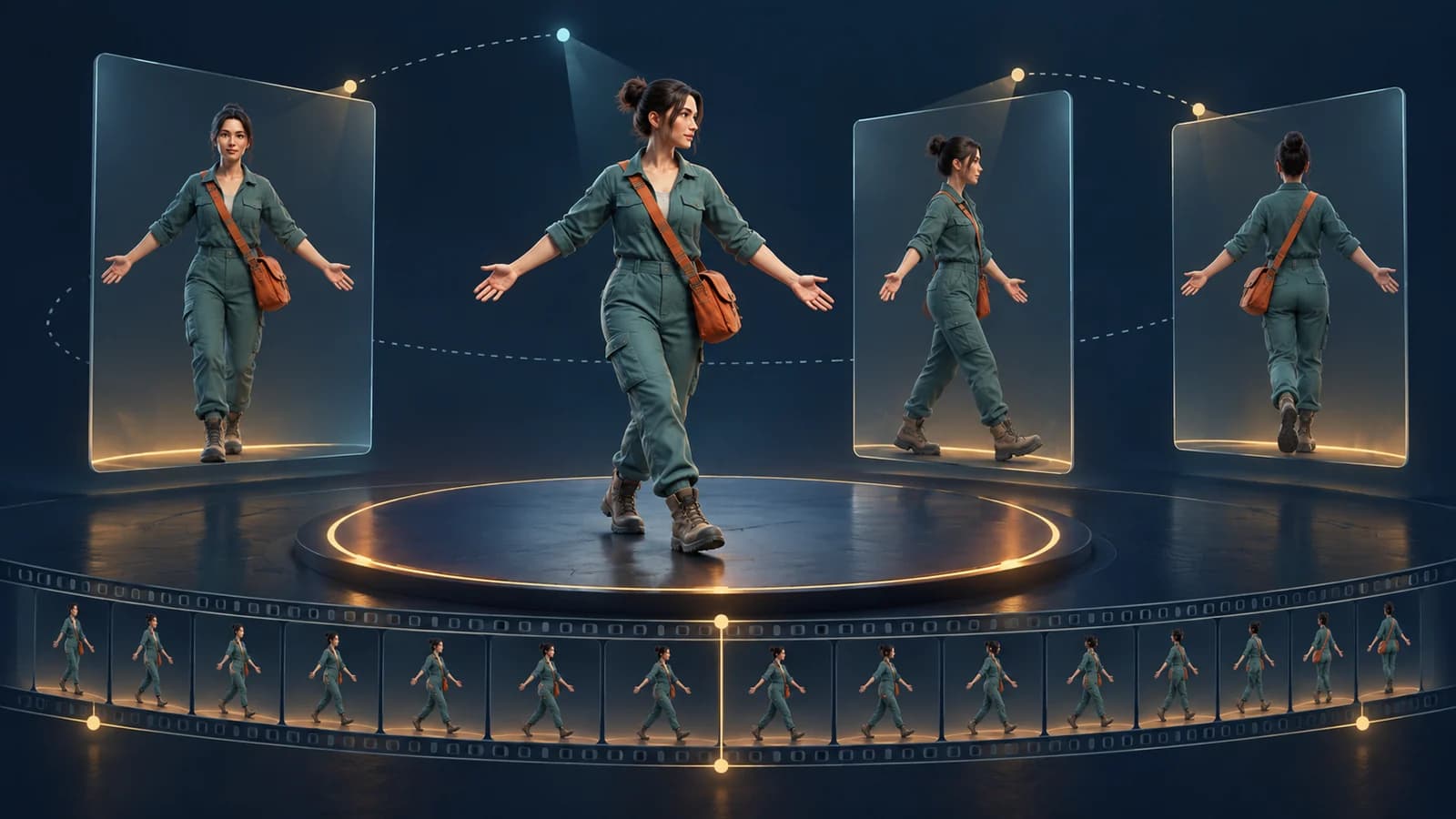
What 4DAnyone lets you explore
The paper was submitted on August 20, 2026. It describes generating consistent multiview human videos from one uncalibrated video, then using them for downstream 4D Gaussian Splatting. The project page explains that a recovered 3D skeleton guides the target views and that its method addresses consistency across groups of generated views. This is an August research release with subsequent updates, rather than an October 2 launch.[1][2]
The official repository lists a September 2 Turbo update, a September 5 memory reduction, and a September 16 interactive GUI release. Its output layout includes target videos, camera metadata, skeleton-conditioning videos, and motion files. Those file names help define the inspection task: first verify a view-consistent performance, then evaluate any later reconstruction separately.[3]
For a technical artist, the useful question is narrow: does an action stay readable when viewed from the side or back, and which details become uncertain? A convincing unseen jacket panel or hand shape can still be an invented interpretation. Keep the original camera view beside the generated views so that observed detail and inferred detail remain distinguishable.
Understand the six-view demo before running it
The Rerun Space README describes six synchronized MP4s placed around the subject, a fixed six-view camera ring with 15-degree pitch covering 360 degrees, and four-step Turbo generation. It documents a 121-frame, 1280×704 generation contract and rejects a selected segment that is too short. That processed demo contract is distinct from the original repository’s source-footage guidance.[7]
At the October 2 source check, the Space page displayed “Running on Zero.” The official model card was publicly readable and reported no deployed Inference Provider. A running page and downloadable weights establish access points; they do not establish that a particular generation will finish successfully. No inference was submitted for this article.[6][5]
Before trying a hosted demo, read its current instructions and decide whether the material is appropriate to upload. Use footage you are authorized to process and publish. For an initial technical evaluation, keep the action short and simple, with an unmistakable beginning, contact event, and ending pose. Save the exact source segment and settings for repeatable comparison.
Choose input that makes failures visible
The official README recommends one person in a full-body or upper-body shot, clear footage without large camera movements, a portrait 9:16 source at 1080p or higher, and at least 121 frames. Check the hosted demo’s current preprocessing instructions separately, because source dimensions and processed model dimensions describe different stages.[3]
Favor a movement you can inspect without guessing: a slow step, a turn with separated arms, or a reach that passes in front of the torso. An asymmetric feature such as a satchel or sleeve stripe makes side changes easier to notice. Avoid treating a clean silhouette as a complete quality test; hands, occlusions, and clothing can fail while the outline remains plausible.
| Input detail | Why include it | What to record |
|---|---|---|
| A clear opening pose | Provides a stable visual reference | Starting timestamp and visible limbs |
| One brief self-occlusion | Tests disappearance and reappearance | Frames before, during, and after overlap |
| One asymmetric accessory | Makes mirrored or drifting details easier to see | Its expected side and attachment point |
| A clear ending pose | Supports a second cross-view comparison | Ending timestamp and any changed detail |
Inspect across views, then along time
Use two passes. In the first, pause all videos at the same source-aligned moment and compare the six target views. In the second, watch each view through the full action. A still frame can hide flicker; a smooth clip can hide a detail that changes from one viewpoint to the next. Record the exact frame or timestamp whenever you flag an issue.
| Check | Across viewpoints | Through time |
|---|---|---|
| Hands and limbs | Does limb count and attachment remain plausible? | Do fingers or limbs pop, merge, or vanish? |
| Silhouette | Does body and garment shape agree at one moment? | Does the outline pulse or drift? |
| Accessory continuity | Is the satchel, stripe, or buckle on the expected side? | Does it stay attached and retain its shape? |
| Occlusion | Does a hidden part reappear in a plausible location? | Is the transition stable before and after overlap? |
| Action timing | Do comparable moments show the same phase of the action? | Do contacts and releases remain aligned? |
The JSON worksheet contains seven columns per checkpoint: the source plus six target-view slots. Start, middle, and end give 21 review cells. Each cell has null result fields and a “not_run” status. Replace those three checkpoints with exact frame indices, then add rows around difficult occlusions; three samples alone cannot characterize an entire clip.
Use “pass,” “issue,” or “uncertain” only after inspection. “Uncertain” is particularly useful for a surface the source never showed: consistency among generated views does not establish the true hidden appearance. Keep cross-view agreement separate from agreement with the source, and retain an issue note instead of averaging every problem into one score.
Keep the output stages separate
| Stage | What is documented | What still needs separate evidence |
|---|---|---|
| Rerun demo | Six generated MP4 views and camera visualization | Successful run, output inspection, and suitability for your clip |
| Official inference | Videos, cameras, skeleton conditioning, and motion files | Any downstream export or reconstruction you intend to use |
| Nerfstudio guide | Static 3DGS at one synchronized timestamp | A time-varying 4D reconstruction |
| Rigged game character | Not established by these documented outputs | Mesh topology, skin weights, rig, retargeting, and engine import |
The current Nerfstudio guide explicitly reconstructs a static scene from one synchronized timestamp. It says this cannot reproduce the paper’s 4DGS results, and that the FreeTimeGS implementation used in the paper is not publicly available. The repository says an open-source 4DGS integration is still planned. Keep that gap visible when deciding how much of the research can be reproduced today.[4][3]
Likewise, skeleton conditioning and recovered motion files do not, by themselves, establish delivery of an editable, skinned character or a retargetable FBX animation. Ask for the exact file and a demonstrated import path for each downstream requirement. This article did not run reconstruction, inspect a generated mesh, or test an engine import.
Check component rights before production use
The repository’s third-party notice limits its root Apache-2.0 license to first-party code. It identifies GVHMR as restricted to educational, research, and non-profit purposes, with commercial use prohibited, and identifies the redistributed Turbo LoRA under upstream CC BY-NC-SA 4.0 terms. The model card also labels licensing as asset-specific. A repository badge is therefore insufficient to clear the whole pipeline for commercial character work.[8][5]
Build a permission record for the exact revision: first-party code and checkpoint, motion-recovery dependencies, body models, optional adapters, and input footage. Record attribution obligations and the intended use. If commercial suitability matters, resolve ambiguous terms with the relevant rights holder or qualified adviser before committing production material. No blanket commercial-use conclusion is made here.
Start with a bounded review
A useful first outcome is a small inspection packet: the authorized source clip, exact revisions and settings, generated videos if you run the model, a completed view/time worksheet, and a list of unresolved reconstruction or rights questions. Choose one question you need answered, such as accessory continuity during a turn, and state your acceptance rule before inspecting the result.
This guide contributes a documentation audit and an original, unfilled inspection template. It makes no quality ranking, timing claim, or claim of successful generation. Use the public research links to examine the method, and treat the worksheet as a way to collect the evidence your own project actually needs.
Evidence used
- Generated-view capability audit and inspection worksheet
Original source-linked capability decisions plus 21 blank view/time review cells. No model output was generated or scored; all observed-result fields are null.
Sources
- 1.4DAnyone: Create Anyone in 4D from a Casual Monocular Video — 4DAnyone research team. Accessed 2026-10-02.
- 2.4DAnyone project, method, and research demonstrations — 4DAnyone research team. Accessed 2026-10-02.
- 3.4DAnyone README: input, release history, and output structure — 4DAnyone research team. Accessed 2026-10-02.
- 4.Nerfstudio reconstruction guide and current 4DGS limitation — 4DAnyone research team. Accessed 2026-10-02.
- 5.4DAnyone model card and asset-specific licensing — Ant Research. Accessed 2026-10-02.
- 6.4DAnyone × Rerun Space — Rerun. Accessed 2026-10-02.
- 7.4DAnyone × Rerun: six-view demo contract — Rerun. Accessed 2026-10-02.
- 8.4DAnyone third-party notices — 4DAnyone research team. Accessed 2026-10-02.
Plan your next asset workflow
Explore Goblin3D’s public feature guides when planning a separate 3D or sprite project.
Explore Goblin3D featuresRelated Goblin3D guides and tools
Sources, product facts, and original evidence were checked before publication.