
Key takeaways
- Use one clear image for a fast prototype when unseen surfaces do not contain important design decisions.
- Use ordered multi-view references when side, back, or asymmetric details are part of the asset's intended shape.
- Extra views add explicit visual constraints, but they do not guarantee a better or production-ready model.
- Keep every view consistent in subject, pose, scale, framing, lighting, and accessories before generation.
Use one clear reference image when you need a fast concept or prototype and the unseen surfaces do not contain important design decisions. Use an ordered multi-view set when the side, back, or asymmetric details are part of the asset's intended shape. Extra views provide more explicit input information; they do not guarantee a better or production-ready result.[1][2]
The quick decision: one image or multiple views?
| Question | Start with one image | Prepare multiple views |
|---|---|---|
| What is the goal? | A fast concept, silhouette check, or early prototype. | A more explicitly specified asset that will be seen from several angles. |
| What is hidden? | Nothing essential, or the unseen design can remain open to interpretation. | Back, side, underside, or overhanging parts carry intended shape information. |
| How asymmetric is it? | Mostly symmetric, with no important one-sided attachments. | Straps, armor, handles, cutouts, pouches, or other details belong on a specific side. |
| How reliable are the references? | One clean image is stronger than several contradictory images. | Every view depicts the same subject, pose, proportions, scale, lighting, and equipment. |
What a single image leaves undecided
A 2D image is a projection, so more than one 3D shape can explain the same visible outline and surface cues. Research on single-view reconstruction describes this as an underconstrained problem and identifies ambiguity between possible shape and pose. A generated result can still be useful, but the unseen side necessarily depends on information beyond the pixels you supplied.[1][2]
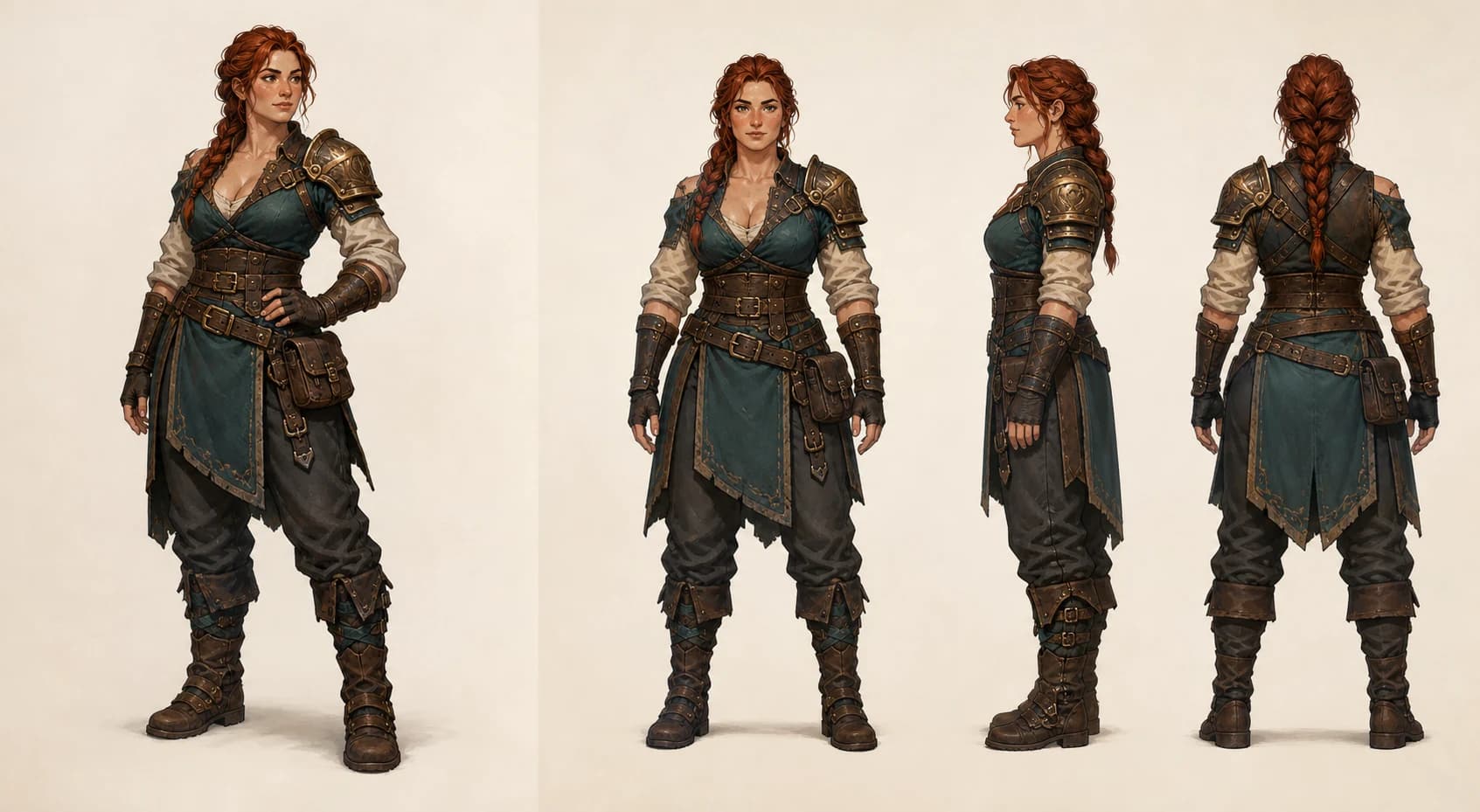
In the illustration, the single three-quarter view communicates the face, front silhouette, palette, and much of the costume. The additional front, side, and back views make the shoulder guard, braid, pouch, rear straps, and garment layers more explicit. The illustration does not show what any generation system would produce from either input set.
Choose one image when speed and a clear front concept matter most
- You are exploring a concept, testing a silhouette, or building an early prototype.
- The subject is simple or largely symmetric, and its unseen surfaces do not define its identity.
- The asset will be seen mainly from a front or three-quarter camera angle.
- Your extra references disagree about pose, proportions, costume, lighting, or attachments.
- You are willing to inspect the unseen surfaces and refine or restart if the interpretation misses the brief.
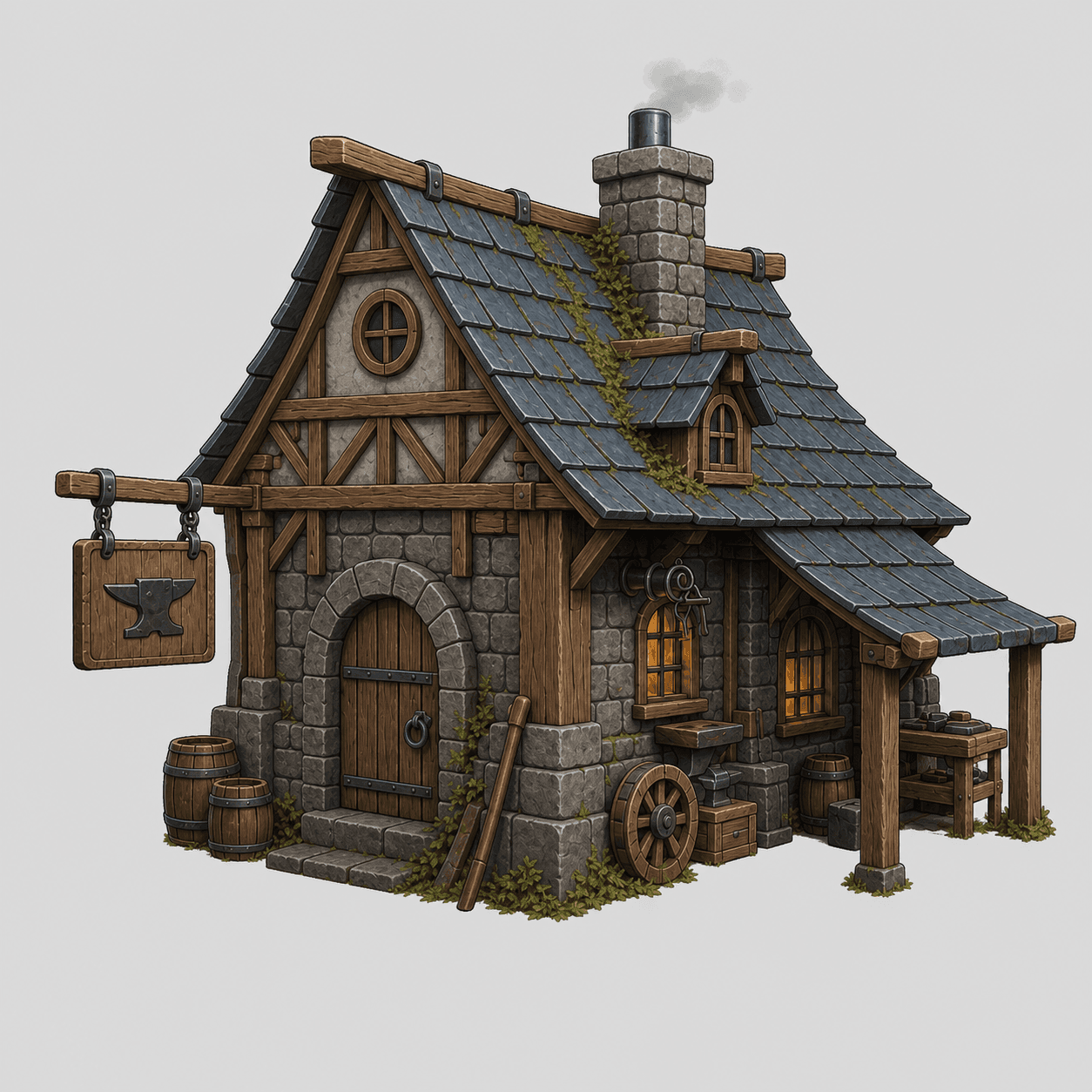
For a single reference, prioritize one centered subject, a complete readable silhouette, even lighting, sharp edges, and little background clutter. The current Goblin3D product page recommends those same visible input qualities and warns that hidden or ambiguous parts may need refinement.[4]
Choose multiple views when hidden shape is part of the brief
- The back or side silhouette changes how the asset reads from a gameplay camera.
- One-sided armor, straps, handles, openings, overhangs, or accessories must stay on a specified side.
- The subject has authored rear surfaces rather than a back that can remain open to interpretation.
- You can supply coherent views at comparable scale, pose, framing, lighting, and detail level.
- You will review the result from every important angle instead of assuming the extra references guarantee correctness.
Multiple views reduce the amount of design information left entirely unseen, but this article does not claim they always create a better model. Conflicting references can introduce a different problem: the input set itself no longer defines one coherent subject.
How to prepare a coherent multi-view reference set
- 1
Lock the subject
Use the same character, prop, or environment design in every view. Do not mix alternate costumes, attachments, or material treatments.
- 2
Lock the pose and proportions
Keep limb placement, stance, object dimensions, and camera height comparable so the views describe one shape rather than several variants.[3]
- 3
Lock the visual conditions
Use consistent lighting, focus, scale, and background treatment. Strong view-to-view changes can disguise a shape or material difference as a lighting difference.[3]
- 4
Reveal the hidden decisions
Make the side and back views earn their place by showing silhouette breaks, openings, attachments, or asymmetric details the first view cannot communicate.
- 5
Remove contradictions
Compare every seam, strap, pouch, window, handle, and color boundary across the set before uploading it.
What Goblin3D currently accepts
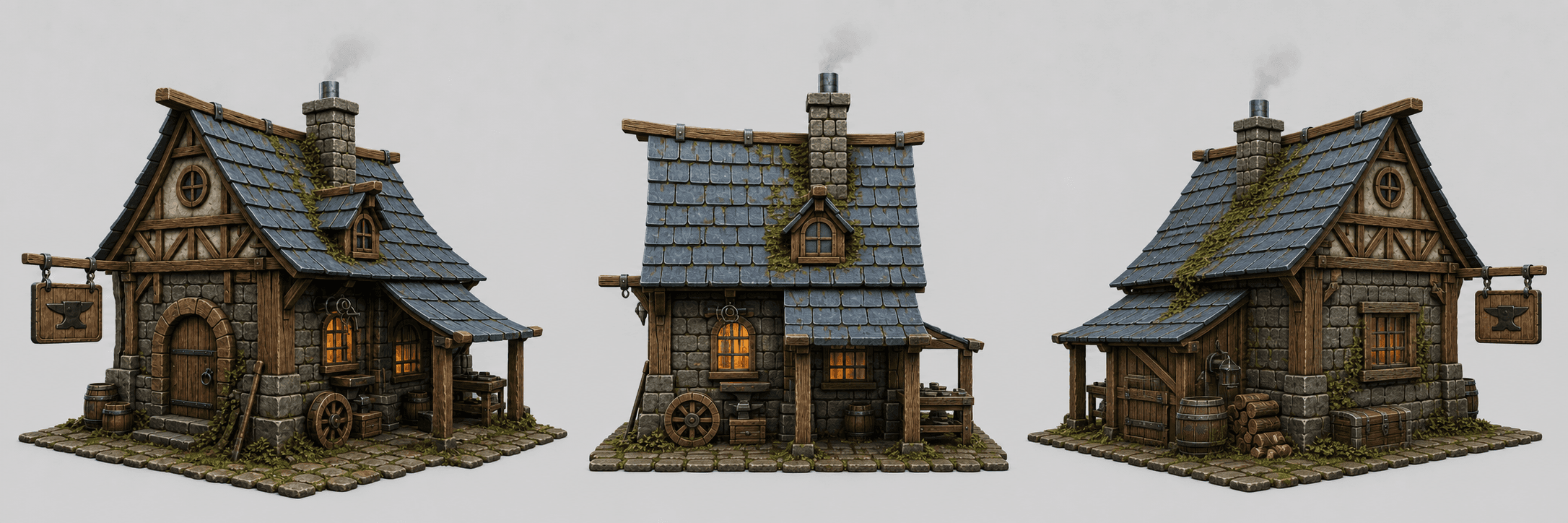
The current Image to 3D page accepts PNG, JPG, and WebP references. You can use one image or up to four ordered views: a front reference plus left, back, and right references. The page presents single-image input as the faster setup and additional views as extra shape guidance; it does not promise that either path is automatically production-ready.[4]
Inspect the result instead of assuming an input winner
- 1
Orbit the silhouette
Check the front, sides, back, top-facing edges, and underside-facing edges that matter to the camera in your project.
- 2
Trace asymmetric parts
Confirm that one-sided armor, straps, pouches, handles, cutouts, and openings remain on the intended side.
- 3
Separate visible appearance from technical readiness
A beauty render can show silhouette and surface appearance. It cannot by itself verify topology, scale, rigging, animation, engine import, or runtime performance.[4]
- 4
Compare against the brief
Judge whether the result preserves the decisions the references were meant to communicate, not whether it merely resembles the front image.
Limitations and claim boundaries
- No paired Goblin3D generation was performed, so this article reports no measured single-image or multi-view quality winner.
- The character board is editorial artwork that explains input coverage; it is not a Goblin3D output, model, screenshot, or consistency test.
- The public workshop images verify visible product-page examples and input layout, not a controlled output comparison.[4]
- The research sources explain ambiguity and multi-image consistency in their own settings; they do not establish Goblin3D topology, texture fidelity, generation time, price, file size, rigging, engine behavior, or runtime performance.[1][2][3]
Evidence used
- Single-reference and multi-view concept illustration
A 1693 by 929 editorial illustration showing one adult fantasy blacksmith reference beside coherent front, side, and back views. It explains input coverage and is not a Goblin3D output or quality test.
- Goblin3D single workshop reference
The 1254 by 1254 single-reference workshop image currently displayed on the public Goblin3D Image to 3D page.
- Goblin3D workshop multi-view reference board
The 2172 by 724 front, side, and back workshop reference board currently displayed on the public Goblin3D Image to 3D page.
- Goblin3D Image to 3D product page
The current first-party page documenting one image or up to four ordered views, supported image formats, visible reference examples, and the requirement to inspect generated results.
Sources
- 1.Toward Realistic Single-View 3D Object Reconstruction With Unsupervised Learning From Multiple Images — IEEE/CVF. Accessed 2026-08-26.
- 2.Shape-Pose Ambiguity in Learning 3D Reconstruction from Images — AAAI. Accessed 2026-08-26.
- 3.Capturing photographs for RealityKit Object Capture — Apple. Accessed 2026-08-26.
- 4.Image to 3D Model Generator for Game Assets — Goblin3D. Accessed 2026-08-26.
Test the smallest reference set that explains your asset
Start with one clear image, then add ordered views only when they communicate side, back, or asymmetric shape decisions.
Open the 3D workspaceRelated Goblin3D guides and tools
Sources, product facts, and original evidence were checked before publication.